Image Mechanism in TiBillet
TiBillet uses a sophisticated image mechanism that ensures events always have appropriate images displayed, even if they haven't been explicitly set for a particular event.
Priority Order for Images
The system follows a specific priority order when determining which image to display:
Main Image (displayed in event page header)
- Event Main Image - The image uploaded directly to the event
- Address Main Image - If no event image is available, the system uses the image from the event's address
- Configuration Background Image - If neither event nor address images are available, the system falls back to the background image from the site configuration
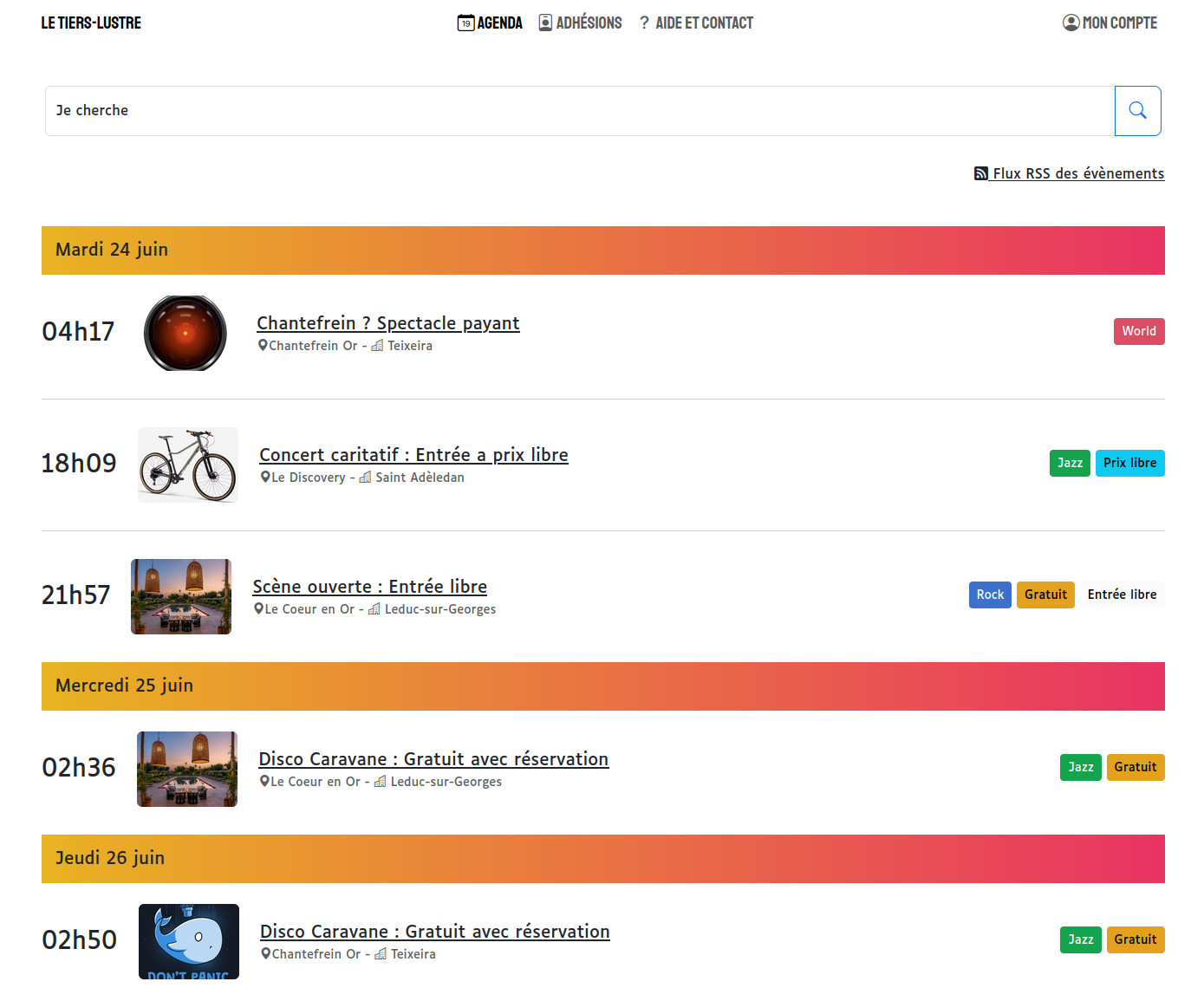
Sticker Image (displayed in event lists)
- Event Sticker Image - The small image uploaded directly to the event for use in lists
- Address Sticker Image - If no event sticker image is available, the system uses the sticker image from the event's address
- Configuration Logo - If neither event nor address sticker images are available, the system uses the logo from the site configuration
- Main Image - If none of the above are available, the system falls back to using the main image (following the priority order described above)
Federated Events
This image mechanism works seamlessly with federated events as well. When events are shared between different TiBillet instances, the appropriate images are displayed according to the same priority rules, ensuring a consistent visual experience across the federation.
Performance Optimization
The image mechanism includes caching to optimize performance. Images are cached for one hour, reducing database queries and improving page load times.
Screenshots
Admin Configuration
In the admin interface, you can set images at different levels:
Event Level
- Main image - The main image of the event, displayed in the head of the event page and for social shares
- Sticker image - The small image displayed in the events list (4:3 ratio)
- Carousel slides - Images that will be displayed in the program section
Address Level
- Main image - The main image of the address, displayed in the head of the event page if no image is set on the event
- Sticker image - The small image displayed in the events list if no sticker image is set on the event (4:3 ratio)
Configuration Level
- Background image - Used as a fallback when no event or address main image is available
- Logo - Used as a fallback when no event or address sticker image is available